Order a seedbox
This guide explains how to choose and configure a Seedbox.fr offer up to the credit card payment stage.
1. Choose your offer
- Open the Seedbox.fr pricing page.
- Move the slider to choose the desired storage space.
- Select monthly or annual billing.
- Check the price displayed, then click Choose this plan.

The amount depends on the storage space and billing cycle selected. The price displayed on the site at the time of the order is binding.
2. Configure your pack
First select your billing cycle:
- monthly;
- quarterly;
- half-yearly;
- annual.
Then choose the identifiers that will be used to access the services of your seedbox.
The username and password must contain:
- at least 10 characters;
- at least one capital letter;
- at least one digit;
- only letters and numbers.
When all criteria are displayed in green, click Finalize order.
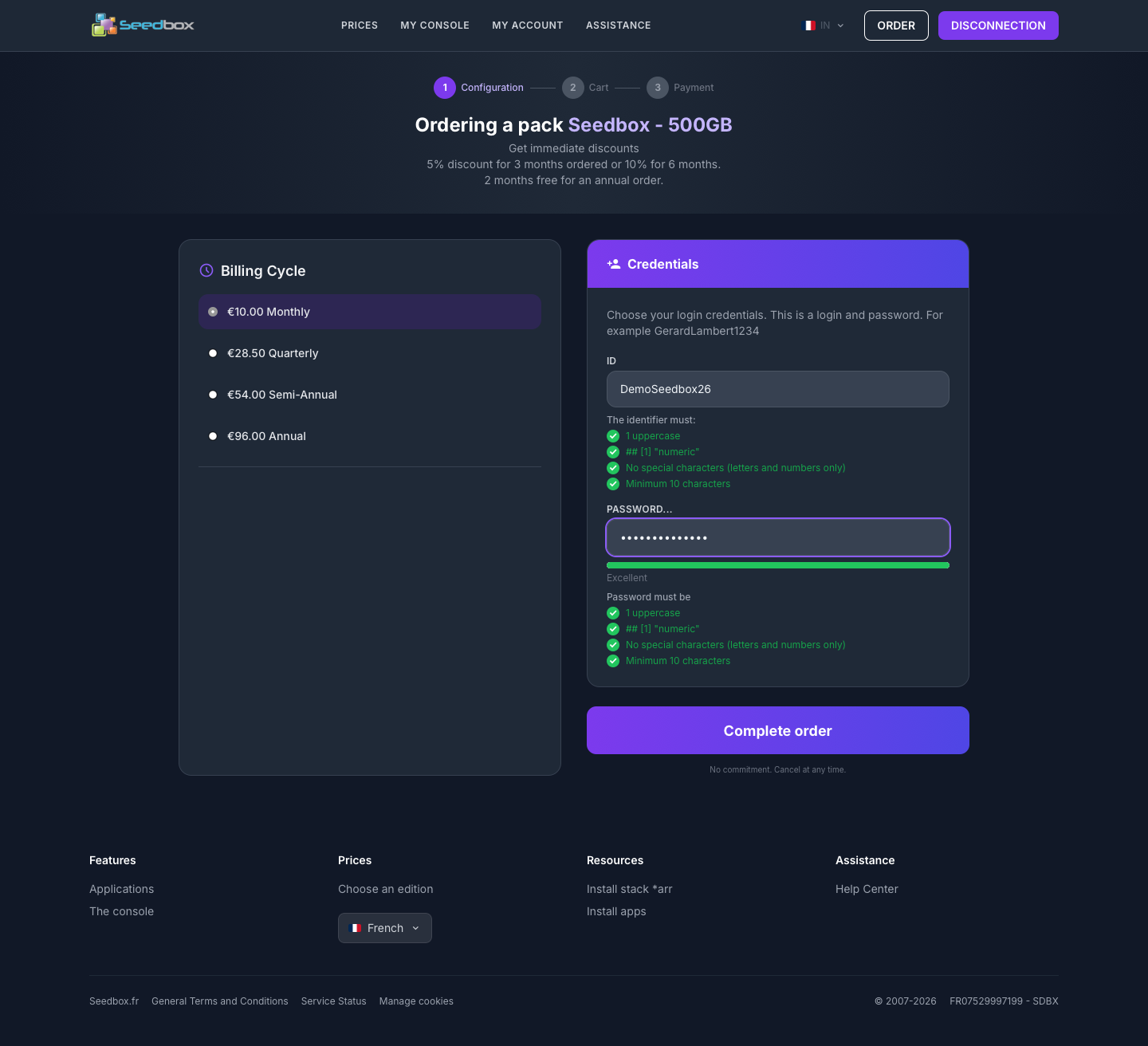
Important: these identifiers give access to the seedbox services. They are different from your Seedbox.fr account email address and password.
3. Check your order
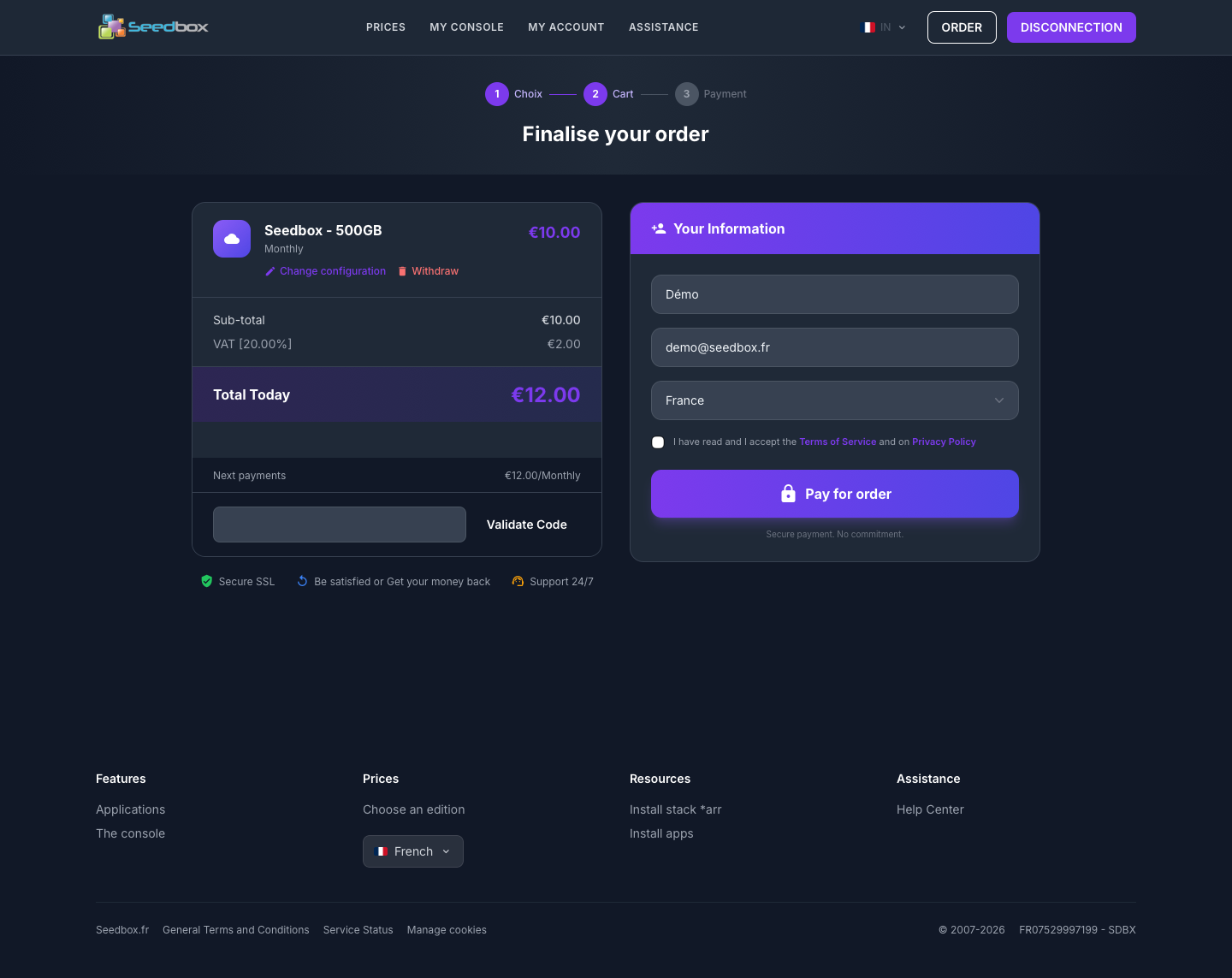
The summary presents:
- the offer and cycle selected;
- the amount excluding taxes;
- the applicable VAT;
- the total to be paid today;
- the amount of the next renewals.
You can click Change configuration if any information is incorrect. If you have a promotional code, enter it then click on Validate Code.
4. Fill in your information
Complete the form with:
- your first name;
- your email address —
demo@seedbox.frin this example; - your country;
- the desired password for your account Seedbox.fr;
- confirmation of this password.
Read the terms of service and privacy policy, then check the acceptance box.
5. Choose your payment method
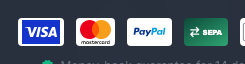
Seedbox.fr displays the following payment methods:
- Visa and Mastercard: payment by credit card;
- PayPal: payment from your PayPal account or with the options offered by PayPal;
- bank transfer: payment from your bank account following the contact details and instructions provided when ordering.
Please note: validating a bank transfer may take longer than an online payment. The options actually available and their instructions are specified at checkout.
6. Proceed to payment
After a final check, click Pay Order. Then follow the instructions corresponding to the chosen payment method. For payment by credit card, the secure form will ask you for your card information.
This guide stops before entering payment information.
Security: never communicate your card number, its cryptogram or a validation code received by SMS to Seedbox.fr support.