Download a movie with Transmission
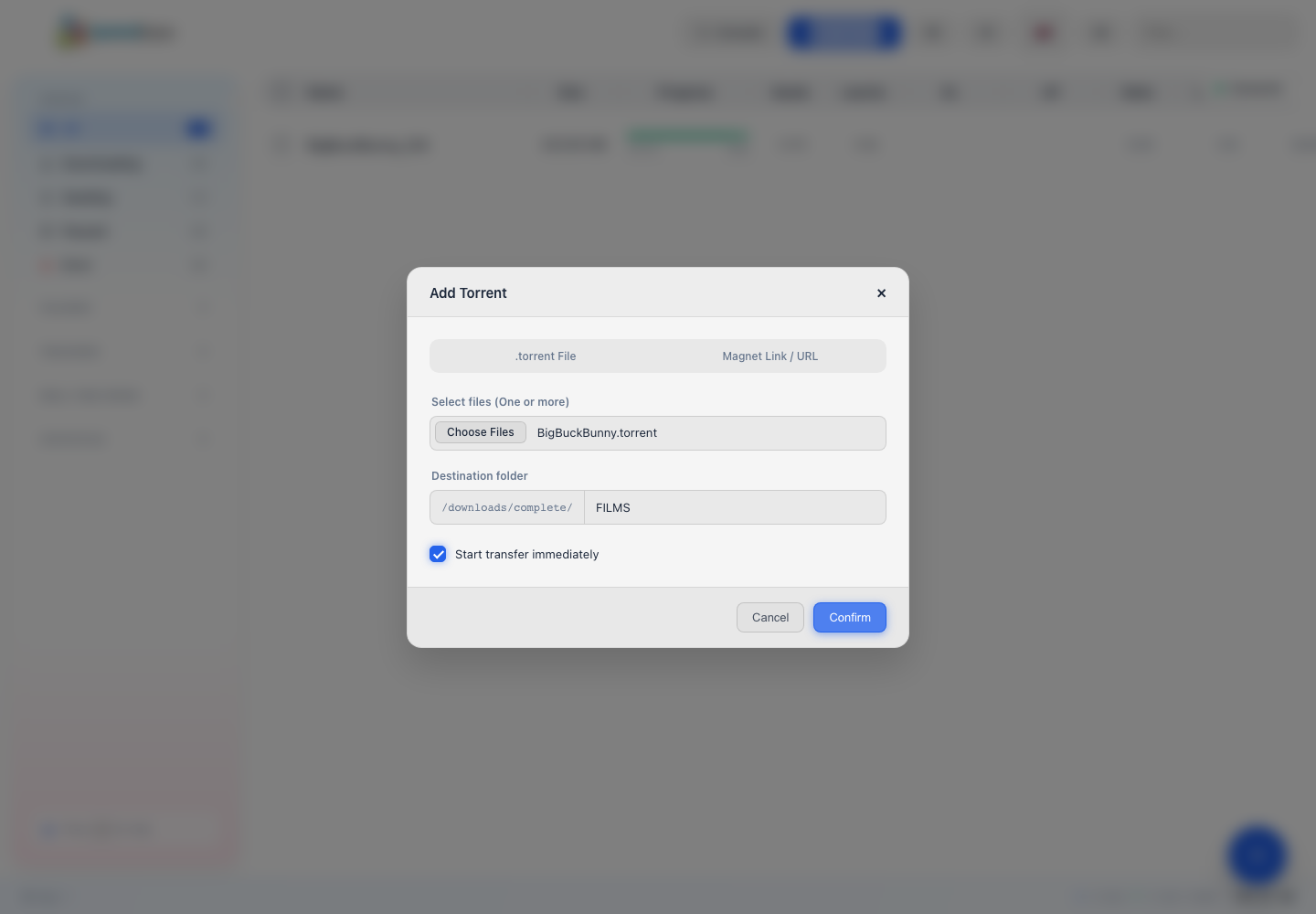
Transmission allows you to add a .torrent file, a magnet link or the URL of a torrent. In this example, we download Big Buck Bunny to the FILMS folder.
Important: Only upload content that you have the right to obtain and share. Big Buck Bunny is an open source film produced by the Blender Foundation and released under the Creative Commons Attribution 3.0 license.
Before you start
To reproduce this example, download the Big Buck Bunny torrent file from the Internet Archive. The official film page presents the Blender Foundation project.
Open Transmission
- Connect to Seedbox.fr.
- Open My Console.
- Locate the application Transmission.
- Verify that it is marked Active, then click Go.
Transmission opens in a new tab. The Connected light, top right, confirms that the interface is communicating with the server.
Add the movie
- Click Add Torrent.
- Keep the .torrent file tab.
- Click Select Files and choose the previously downloaded file.
- In Destination folder, enter
FILMSafter the path/downloads/complete/. - Leave Start transfer immediately enabled.
- Click Confirm.
The full destination path used by Transmission is then /downloads/complete/FILMS.
Track download
The torrent appears in the list as soon as Transmission accepts it. The Progress column shows the percentage downloaded, while DL displays the reception speed.
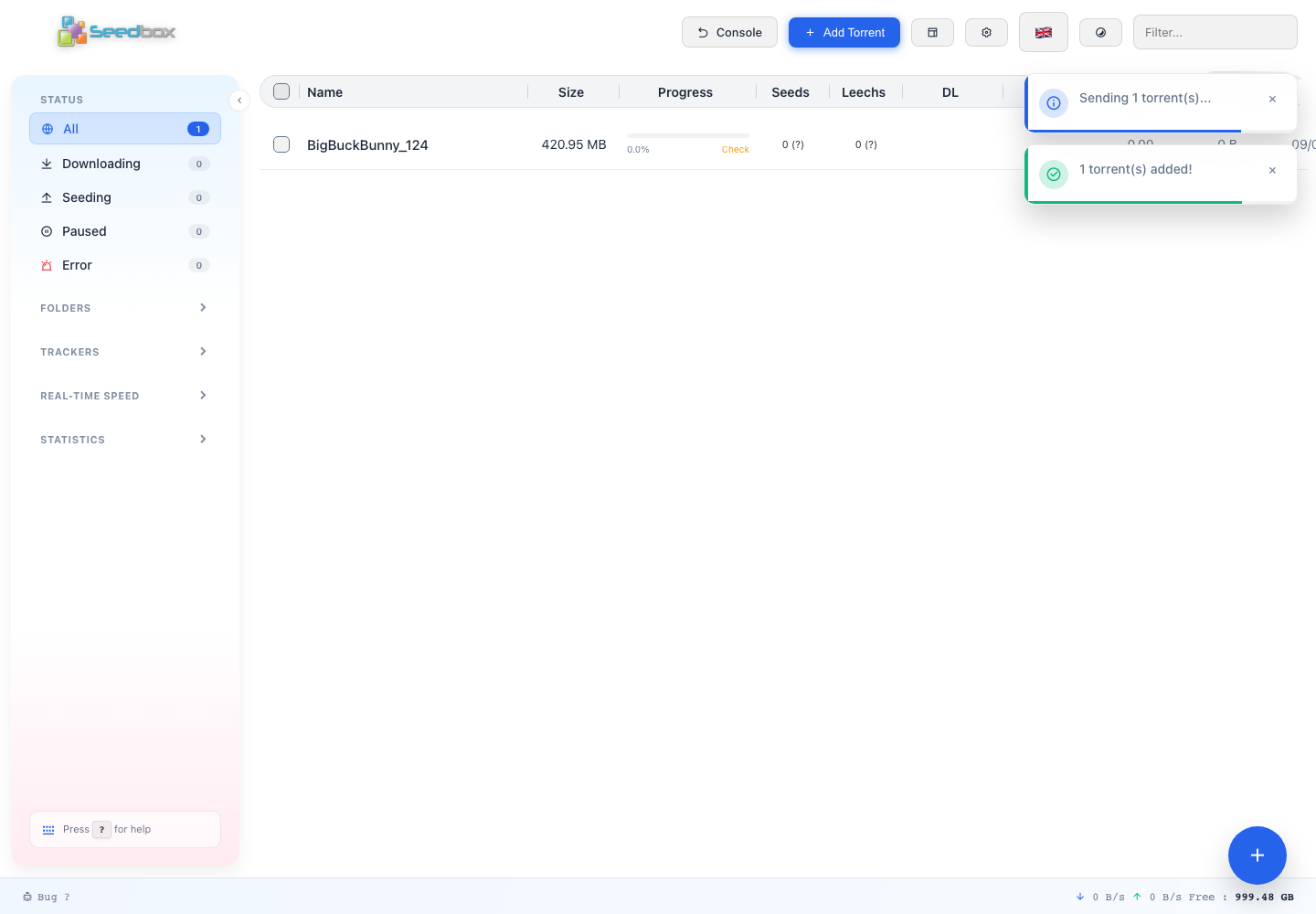
The counters in the left column allow you to filter transfers:
- Download: files being received;
- Share (Seed): Completed downloads still shared;
- Paused: transfers temporarily stopped;
- Error: Transfers requiring action.
Check the end of the transfer
The movie is fully recovered when progress reaches 100%. Its state then changes to Seed and it appears in the Sharing (Seed) category.
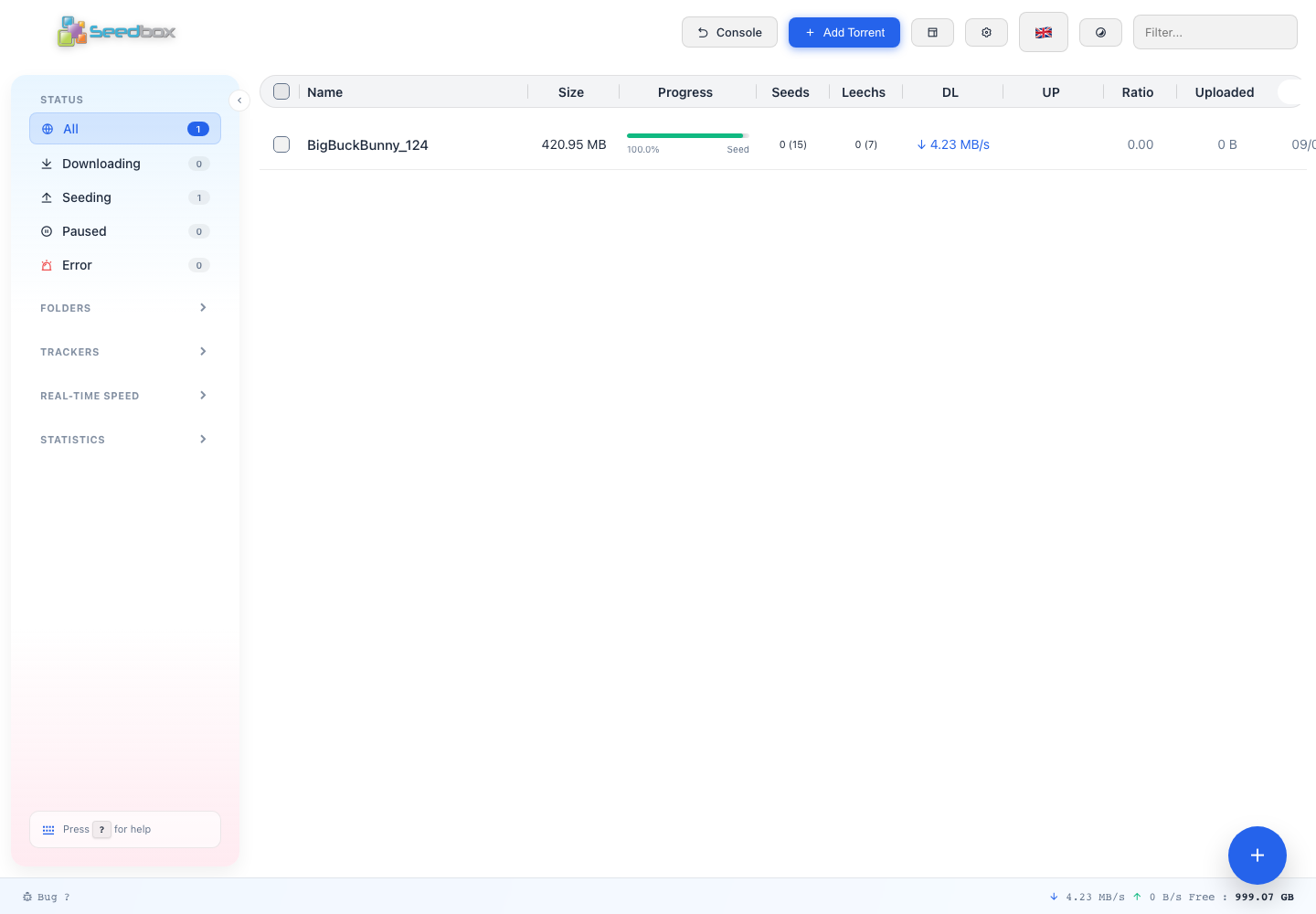
In this example, Internet Archive provides several formats of the film in an archive of approximately 421 MB. The files are saved under FILMS/BigBuckBunny_124/, notably in the Content subfolder.
Please note: the Seed state means that Transmission can send pieces of the torrent to other users. This sending consumes bandwidth. You can pause the torrent when you no longer want to share it.
Find the film
You can then navigate to the FILMS folder with the file manager, FTPES or WebDAV. Open BigBuckBunny_124, then Content, to find the different downloaded video versions.