Reset your Seedbox.fr account password
If you have forgotten the password used to sign in to Seedbox.fr, you can set a new one from the sign-in page.
Important: this procedure concerns the password associated with your email address, which is used to access your Seedbox.fr account and console. It does not change the credentials for your applications, FTP, VPN, or WebDAV.
Reset your password
- Open the Seedbox.fr sign-in page.
- Under the Password field, click Forgot password?
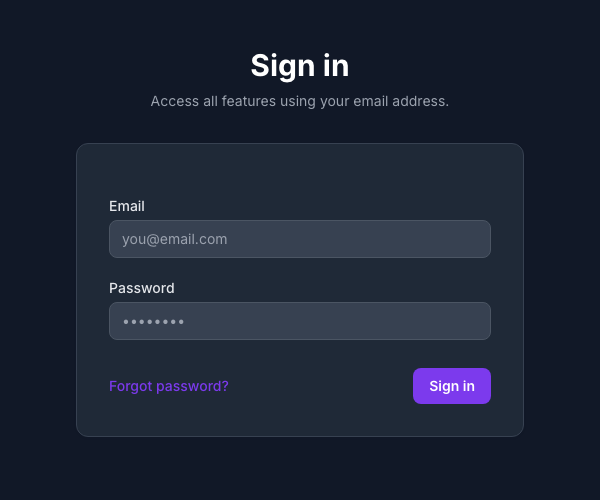
- Enter the email address associated with your Seedbox.fr account.
- Answer the security question if one is displayed.
- Click Send.
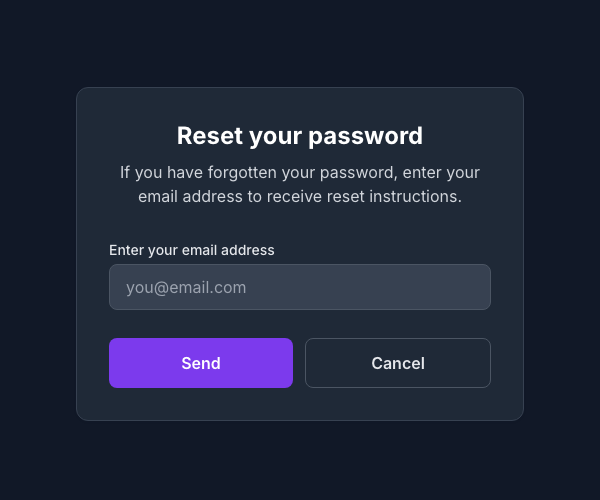
- Follow the instructions sent by email to set a new password.
- Return to the sign-in page, then sign in with your email address and new password.
Did you not receive the email?
- Check your Spam, Junk, and Promotions folders.
- Make sure you entered the email address used to create the account.
- Wait a few minutes before submitting another request.
- If the message still does not arrive, contact Seedbox.fr support.
Security: never share your password or the reset link received by email. The Seedbox.fr team will never ask for your password.
Key points
| Access | Credentials used |
|---|---|
| Seedbox.fr account and console | Account email address and password |
| Applications, FTP, VPN, and WebDAV | Service-specific credentials |