Request a movie with Jellyseerr
Jellyseerr lets you search for a movie and send the request to the applications in the stack. In this example, we request Sintel, a freely available Blender Foundation movie released under the Creative Commons Attribution 3.0 license.
Responsible use: Only request content that you are authorized to obtain. The presence of a title in Jellyseerr does not indicate your access rights to this content.
Before you start
Check that:
- the stack is completely installed;
- Jellyseerr and Radarr are active;
- at least one tracker is configured and functional in Prowlarr;
- applications have a few minutes to complete their synchronization after an installation or modification.
Open Jellyseerr
- Sign in to Seedbox.fr.
- Open My Console.
- Locate the application Jellyseerr.
- Check that it is marked Active, then click Access.
- If authentication is required, use your Seedbox service credentials.
Search for the movie
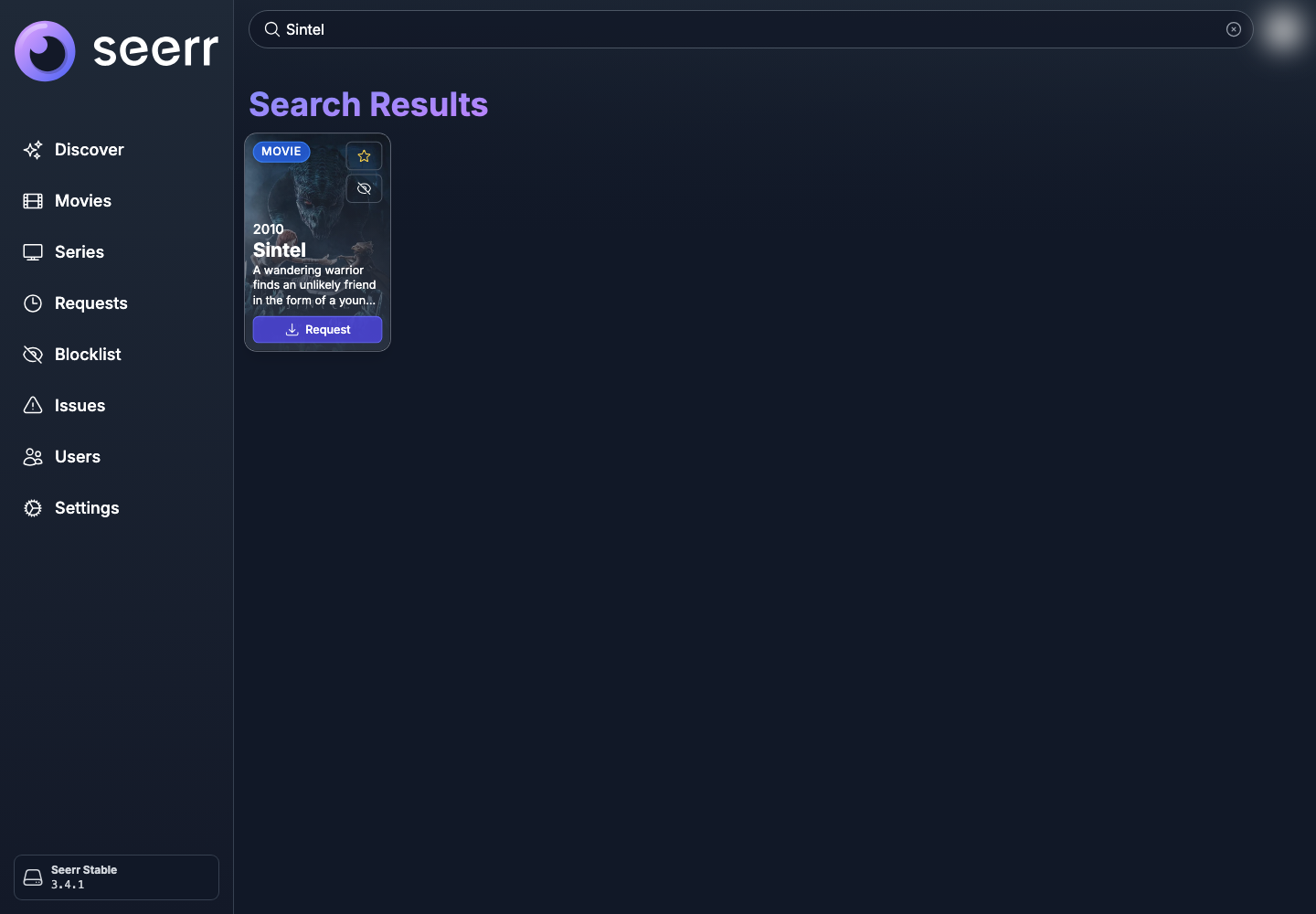
- Click in the Search movies and series bar located at the top of the page.
- Enter
Sintel. - Check the title and year of the result: Sintel (2010).
- Hover over its thumbnail, then click Request.
Confirm request
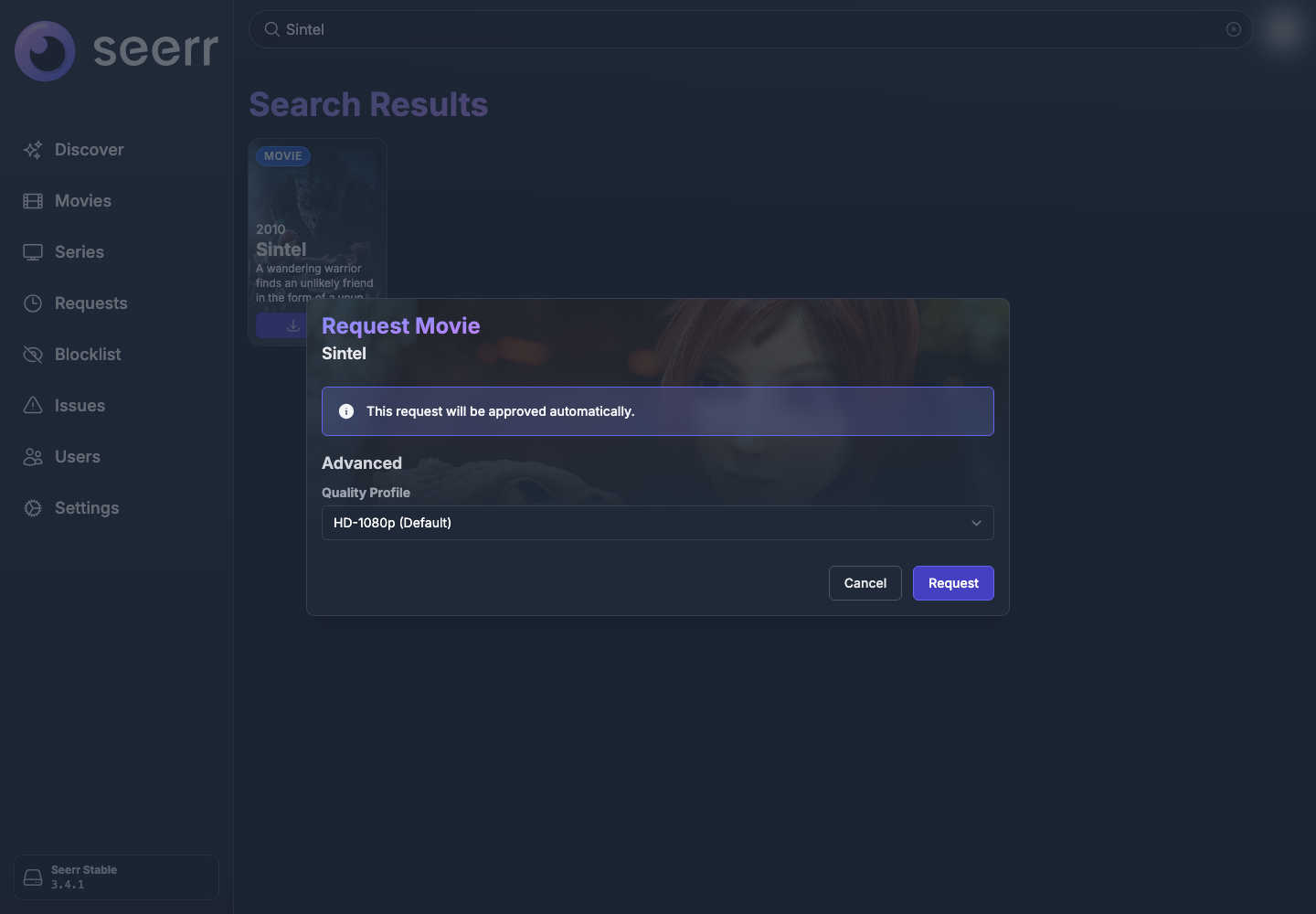
The confirmation window indicates whether the request needs to be approved or whether it will be validated automatically.
The Quality profile menu determines the desired quality. In this example, we keep the profile proposed by default: HD-1080p.
- Check the movie title.
- Keep the default profile unless specifically needed.
- Click Request.
Jellyseerr then forwards the request to Radarr. Radarr searches for a version matching the chosen profile using the indexers synchronized by Prowlarr, then assigns the download to the configured client.
Track the request
Open Requests in the left menu. If the list is filtered to Pending, click Show all requests or select All in the status filter.
The Sintel line displays in particular:
- the current state of the request;
- its date of creation and its last modification;
- the quality profile used.
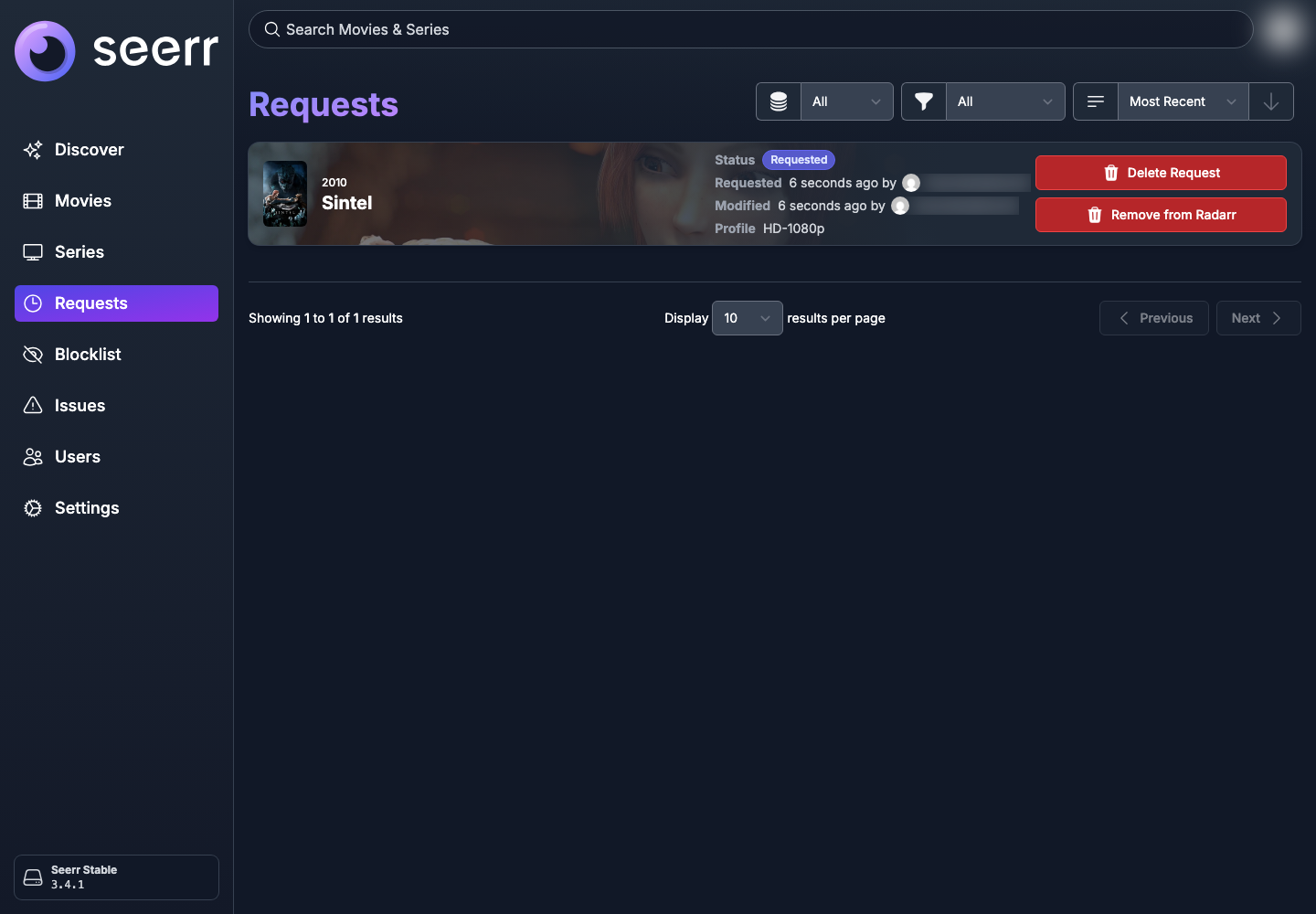
Statuses can change from Requested to Processing, then Available. The transition from one state to another is not always immediate: it depends on the synchronization of applications and the availability of a compatible result.
Please note: an accepted request does not guarantee that a file will be found. If it remains for a long time without progress, check the status of Radarr, Prowlarr and the download client from My console.
Once the movie is available, it may take a few additional minutes to appear in the Jellyfin library.