Suggest an app from My Console
The Suggestions tab allows you to suggest the addition of an application that is not yet available in the Seedbox.fr catalog.
Open form
- Sign in to Seedbox.fr.
- Open My Console.
- Scroll down to the bar below apps.
- Click Suggestions.

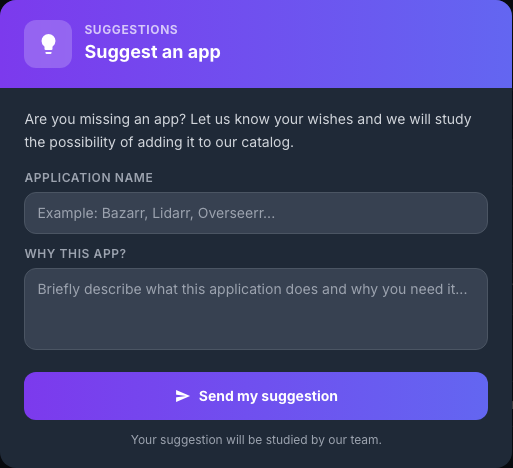
The form opens without leaving the page.
Write the suggestion
Complete both fields:
- Application name: provide the exact name of the project;
- Why this application?: briefly explain its role and the benefit of its integration into a seedbox.
A useful suggestion might include:
- the address of the official website or project repository;
- the main function of the application;
- how it would complement existing applications;
- special storage, network or authentication needs.
Review the content then click Send my suggestion. The panel indicates that the proposal will be studied by the Seedbox.fr team.
Submission does not guarantee that the application will be added to the catalog. Technical compatibility, maintenance, security and user demand can be taken into account during its study.
Tip: Do not enter any passwords, logins, API tokens, or other personal information in the suggestion.