Recover a file with Nextcloud
Nextcloud allows you to browse your seedbox data from a browser and download a file to your computer. In this example, we retrieve the movie Big Buck Bunny previously downloaded with Transmission in the FILMS folder.
Open Nextcloud
- Connect to Seedbox.fr.
- Open My Console.
- Locate the application Nextcloud.
- Verify that it is marked Active, then click Go.
- If a login page appears, use your service access credentials Seedbox.
Nextcloud opens in a new tab. Select All Files, then open the Seedbox folder.
Open folder FILMS
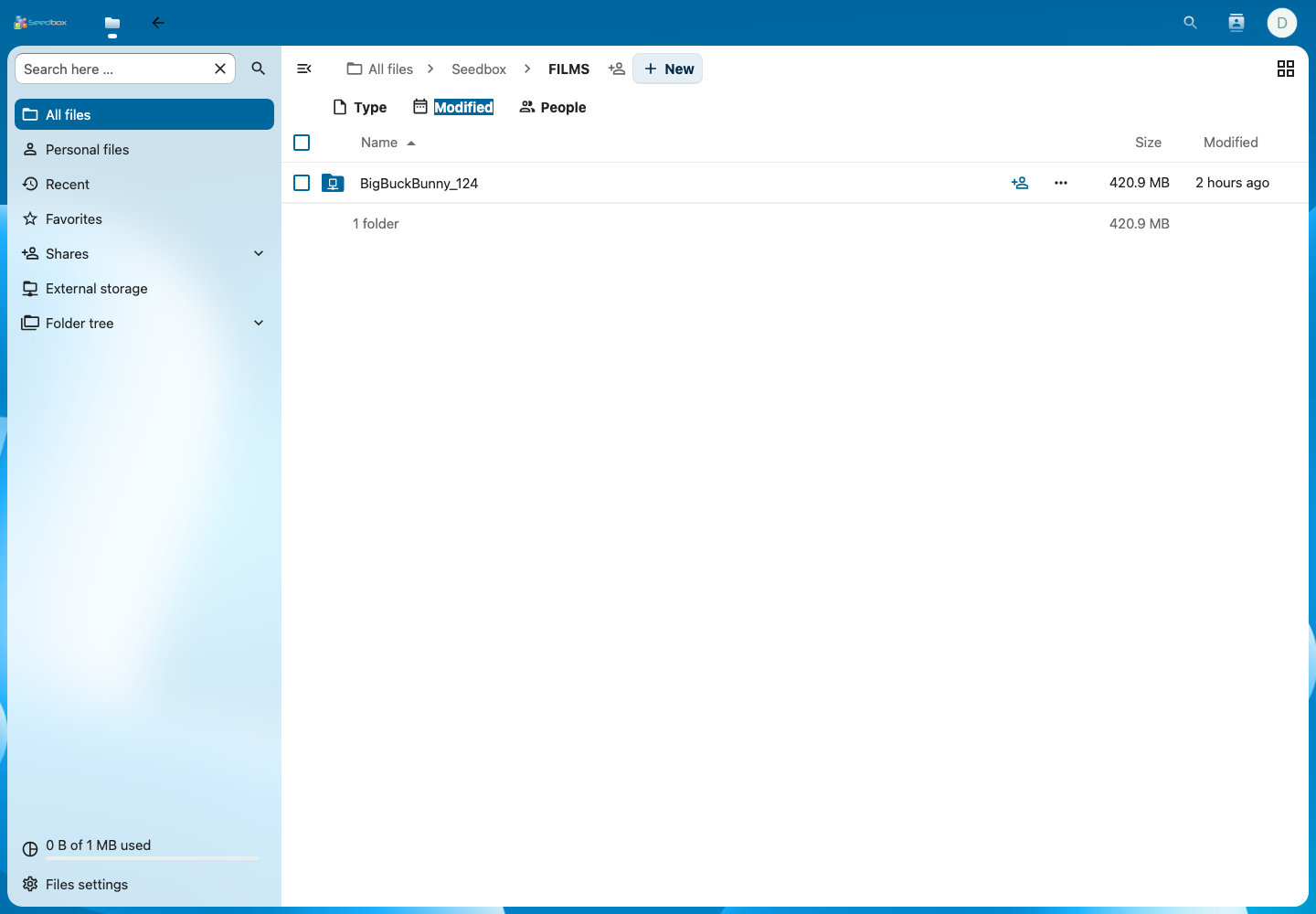
In the Seedbox storage, open the FILMS folder by double-clicking its name.
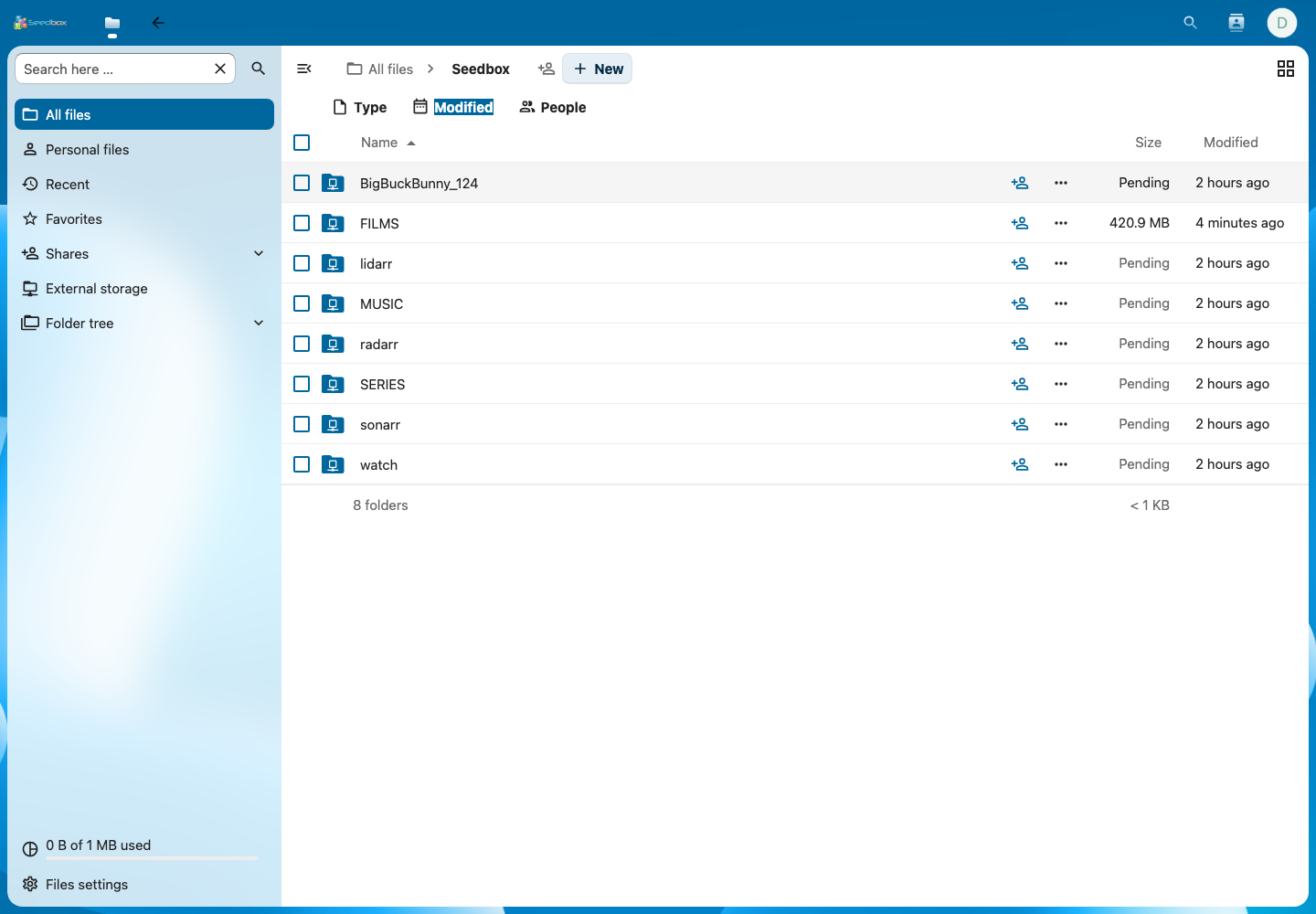
Note: Waiting may appear temporarily while Nextcloud calculates the size or updates the information of a folder. You can still try to open it.
The folder here contains the directory created by Transmission: BigBuckBunny_124. Double-click on it.
Choose the file to recover
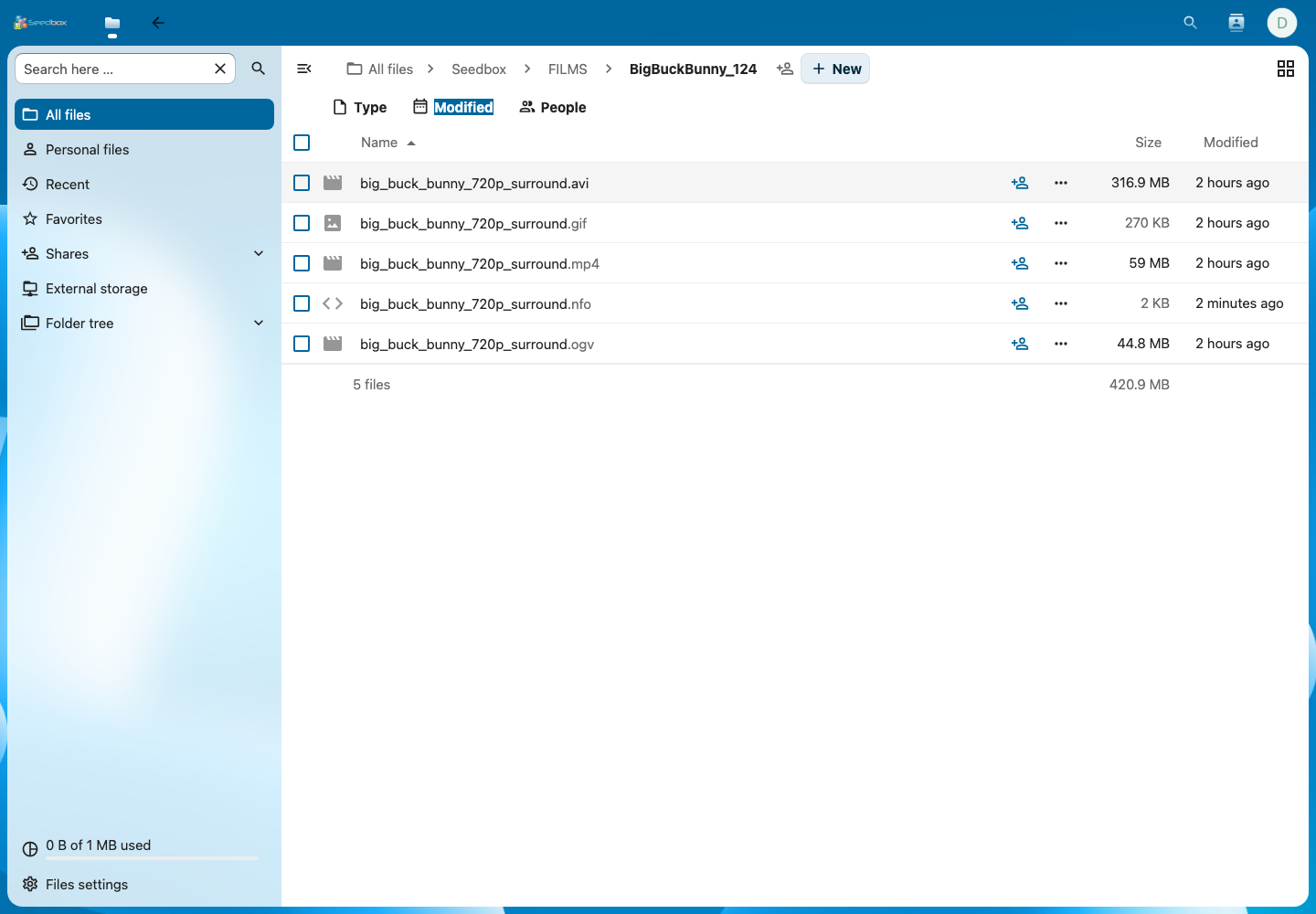
Several film formats are available. For this example, choose:
big_buck_bunny_720p_surround.mp4
Nextcloud displays this file with a size of 59 MB. The MP4 format is generally the easiest to read on a computer, phone, or television.
Download file
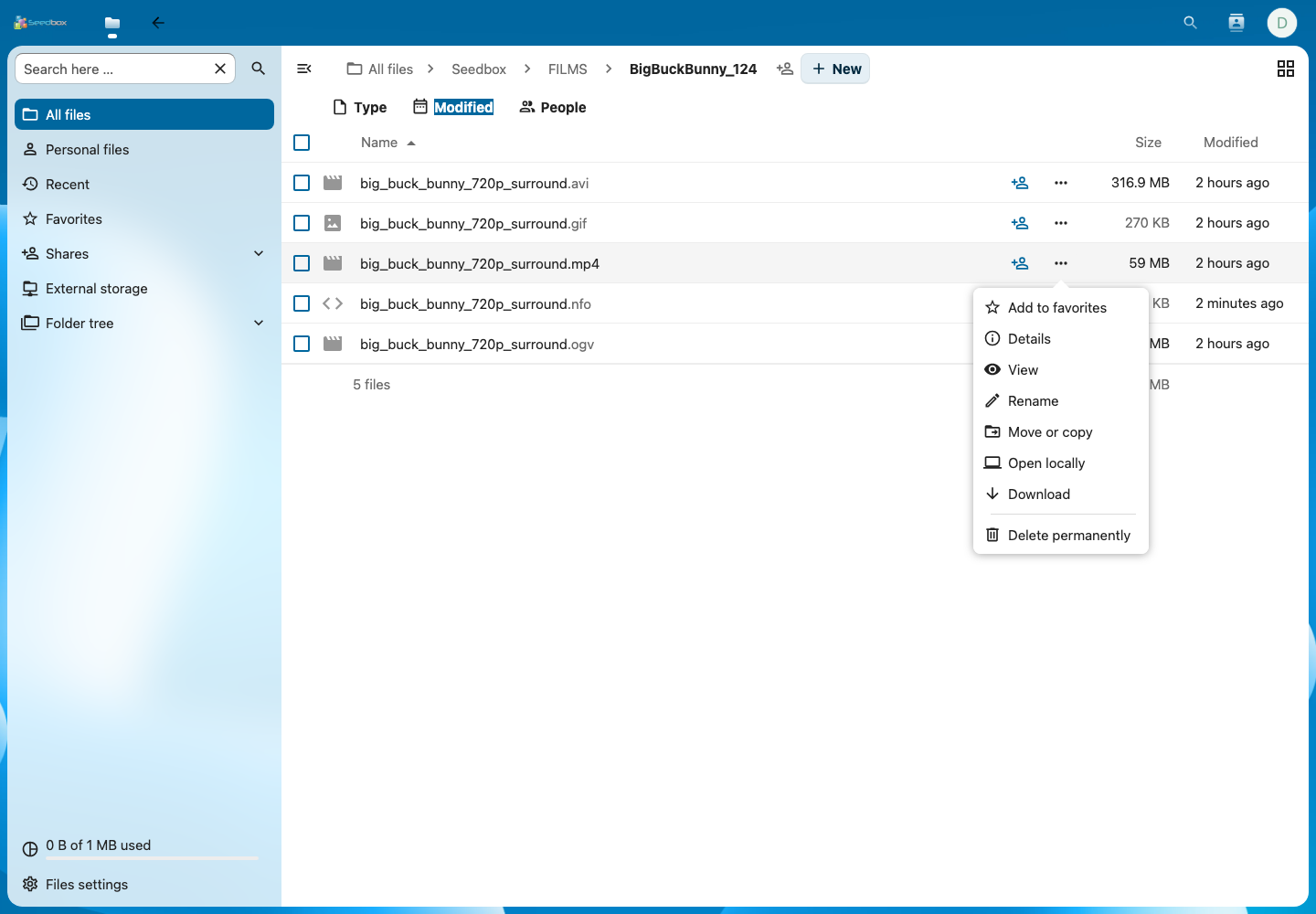
- On the line of the MP4 file, click on the Actions button represented by three dots.
- Select Download.
- If your browser asks for confirmation, choose where to save the file.
- Wait for the download to complete before closing the browser.
The download starts in your browser. Depending on its settings, the file is either automatically saved in the Downloads folder on your computer, or placed in the folder you selected.
Check the file on the computer
At the end of the transfer:
- open your browser's downloads list;
- click on the icon to display the file in its folder;
- check that the file has the name
big_buck_bunny_720p_surround.mp4; - open it with your usual video player.
In our test, Nextcloud transmitted the entire file of 61,878,609 bytes, without errors.
Tip: Do not delete the file in Nextcloud after it is downloaded unless you also want to remove it from your seedbox storage. The Permanently Delete command erases the remote copy; it is not used to clean the browser downloads list.