
 Français
 English
 Deutsch
 Español
 Italiano
 Português
 Português (BR)
 Nederlands
 Русский
 العربية
 Türkçe
 Svenska
 Norsk
Norsk Dansk
Dansk Magyar
 Čeština
 Română
 Hrvatski
 Eesti
Eesti فارسی
فارسی עברית
עברית Azərbaycan
 Македонски
 Українська
Paperless-ngx
Less paper to sort, more documents found.
See our plansYour documents, finally organized.
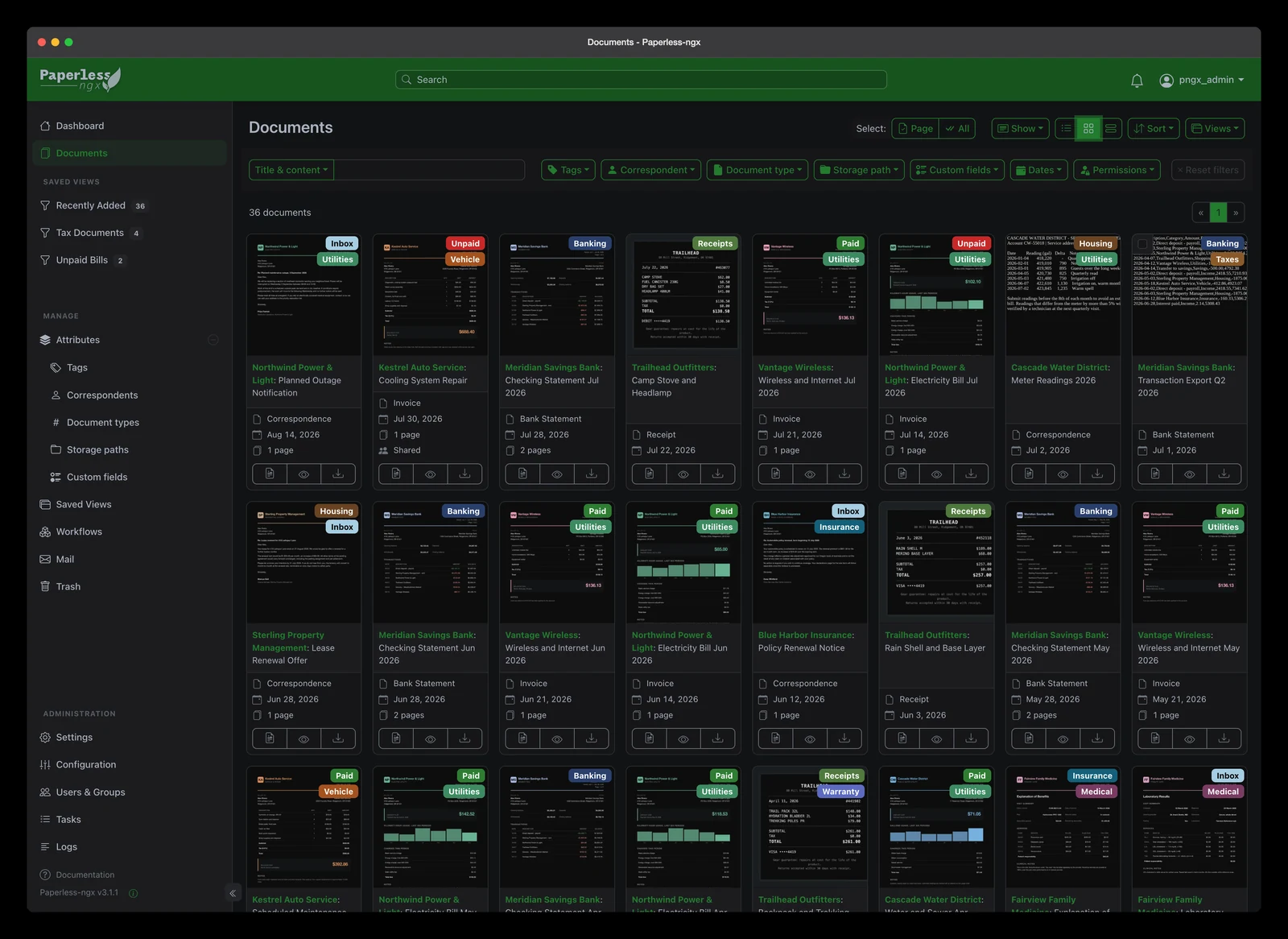
Overview
Paperless-ngx is an open-source application for organizing and finding your digitized documents. Bills, letters and supporting documents are gathered in a library accessible from your browser.
Import your PDFs and images. Optical character recognition (OCR) extracts text from scanned documents so you can search their contents for a name, amount or word.
Add tags, correspondents and document types to organize your filing. Originals are kept: also keep your own backups and any paper documents you need.
Highlights
The text in your scans becomes searchable
OCR makes the content of scanned documents searchable. Recognition quality depends on document legibility and the configured language.
A filing system that fits you
Organize documents by tags, correspondents and types. Combine filters to isolate a supplier’s bills or letters from a given period.
Find the right document
Search titles and recognized text, then refine the results. Save views to quickly find your usual filing arrangements.
Import, view, download
Drop files into the web interface, view their previews and download them when needed. Your originals remain available in your library.
Integrated in your seedbox
In My console, open Customize if the Paperless-ngx card is hidden. Click Install and confirm. The card shows In progress during installation; use Access when it is complete.
- Installation from My console
- Access your Paperless-ngx space over HTTPS
- Use from your computer or phone browser
- Documents, tags and search in one place
Frequently asked questions
Does Paperless-ngx scan my paper documents?
Can I throw away my paper originals?
What happens if I reinstall Paperless-ngx?
In the same family

Find your documents without searching everywhere.
Organize your bills and letters with Paperless-ngx on your Seedbox.
See our plans