
 Français
 English
 Deutsch
 Español
 Italiano
 Português
 Português (BR)
 Nederlands
 Русский
 العربية
 Türkçe
 Svenska
 Norsk
Norsk Dansk
Dansk Magyar
 Čeština
 Română
 Hrvatski
 Eesti
Eesti فارسی
فارسی עברית
עברית Azərbaycan
 Македонски
 Українська
Overview
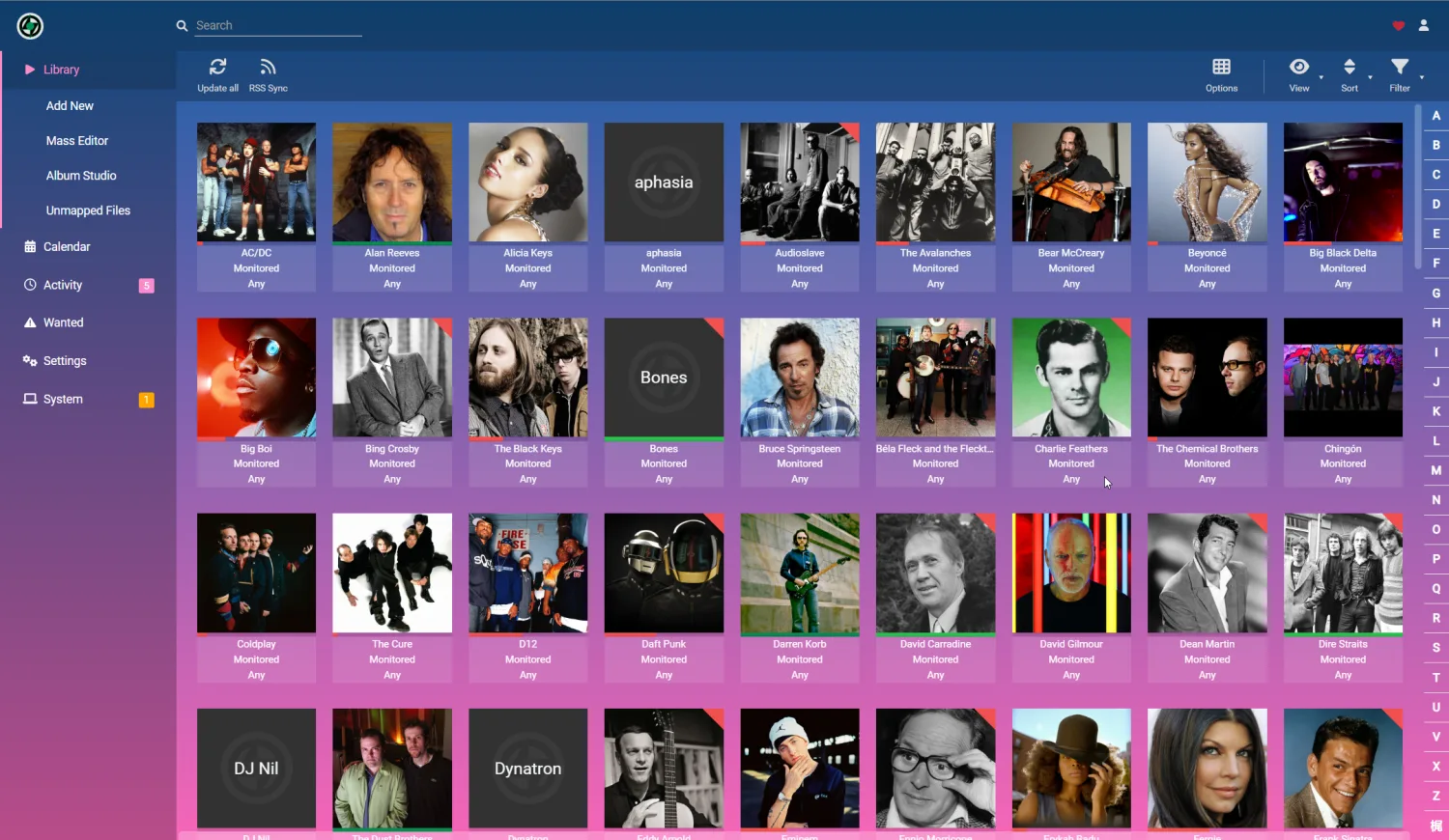
Lidarr is your personal assistant for music. You tell it which artists you follow, it continuously monitors the trackers and grabs every new album as soon as a release of sufficient quality appears.
No more manual searches at every release. You add an artist once, and Lidarr takes care of their entire discography: albums already out as well as new ones, as they arrive.
Files are renamed, sorted by artist and album, with cover art and metadata fetched automatically. Your music folder stays tidy, with no sorting by hand.
Highlights
Automatic monitoring.
Lidarr watches the artists you follow and grabs every new album as soon as a release matching your quality profile is available.
Complete discographies.
Add an artist and Lidarr offers their entire discography. You decide: studio albums only, or everything, down to EPs, compilations and live recordings.
Quality and formats your way.
FLAC, MP3 320 or a mix according to your rules. Lidarr applies your quality profiles and replaces a file with a better version if one appears later.
Organized library.
Renaming, sorting by artist and album, automatic cover art and metadata. Your music folder stays readable, even after thousands of tracks.
Integrated in your seedbox
Lidarr comes preconfigured with your torrent client and Prowlarr. All you have to do is add your artists, the rest follows on its own.
- check_circle Automatic installation with the complete *arr setup
- check_circle Connected to Prowlarr to query all your indexers at once
- check_circle Direct sending to your torrent client (Transmission, qBittorrent, Deluge)
- check_circle Plex and Jellyfin compatible library for listening
Frequently asked questions
How do I add artists to Lidarr? expand_more
Does Lidarr handle FLAC and high quality? expand_more
Is there anything to configure after installation? expand_more

Ready to start your first downloads?
All these apps are included in our seedbox plans. No software to install, no complex setup - your server is ready in minutes.
See our plans arrow_forward